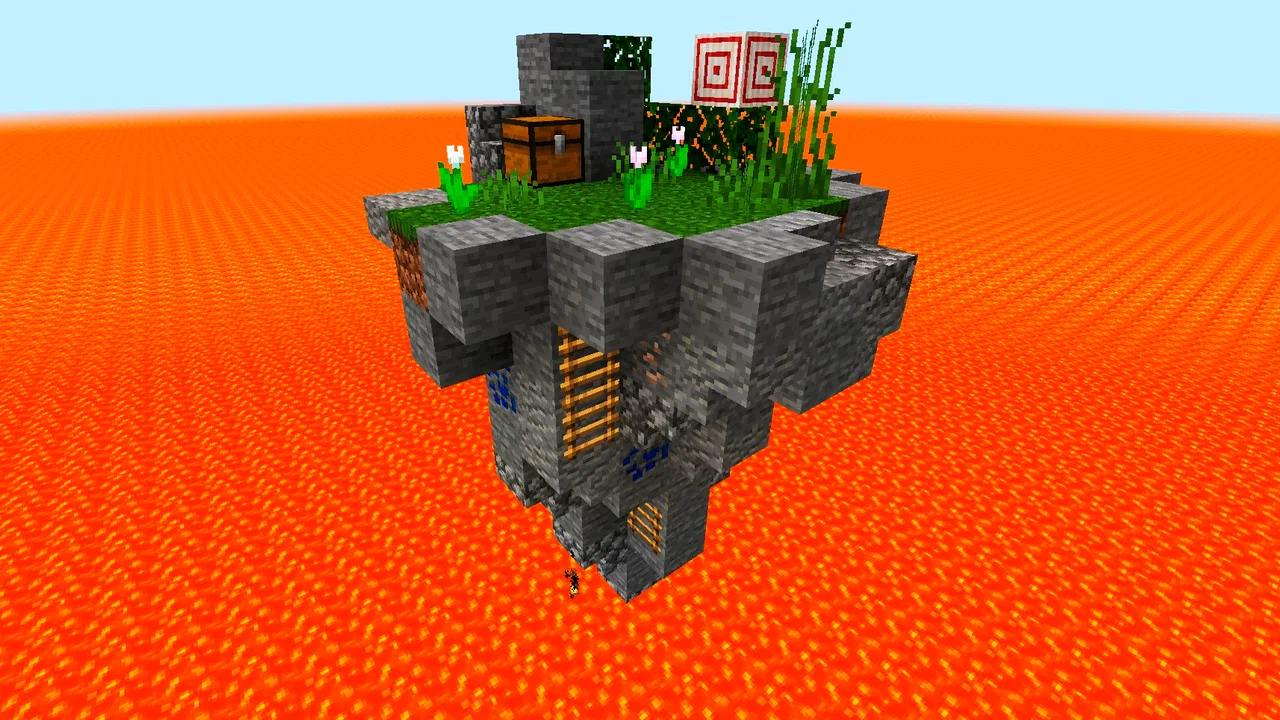
Survival maps for Minecraft PE
- 4.3
- Rating
- 5.00M
- Installs
- Free
- Price
 Analysis by App-foxy
I spent time with Survival maps for Minecraft PE as a practical way to browse and install custom survival environments on a mobile device. It is an Events app from AndiQwer, although its purpose is clearly tied to Minecraft players rather than calendars or real-world gatherings. The idea is simple: find a survival map that looks interesting and get it into the game with as little setup as possible. That simplicity is the main reason to try it, but it also defines the app’s limits.
The app is free to download, which makes testing it fairly easy. It also includes in-app purchases priced at $3.99 to $4.99 per item, so the useful question is not only whether the initial download costs anything, but whether the free experience is enough for your habits. I would approach it as a convenient map browser first and a paid product only if its particular selection and installation workflow save you enough time to justify spending more.
How Survival maps for Minecraft PE fits into a mobile Minecraft routine
The app’s store summary focuses on maps for Minecraft PE and one-click installation. In everyday use, that promise matters because moving downloaded content into a mobile game can otherwise become a small project involving file locations, compatible formats, and repeated switching between apps. A dedicated map tool is appealing when I want to start playing rather than manage files.
You May Also Like

 AccuWeather: Weather Radar
AccuWeather Review: A Quick, Clear Forecast for Everyday Decisions
For everyday plans, the best forecast is the one you can understand quickly. AccuWeather makes rain timing, radar, and local conditions easy to act on, with a few trade-offs.

 Hill Climb Racing
Why Hill Climb Racing Still Turns Crashes Into One More Run
A tiny car, a bumpy hill and one more upgrade: Hill Climb Racing keeps resurfacing because its simple chaos makes every near-miss feel personal.

 AliExpress - Shopping App
AliExpress Makes Global Shopping Feel Personal, but Shoppers Bear the Risk
AliExpress turns a global marketplace into a pocket-sized discovery engine. Its reach is useful, its shopping loop compelling, and its trade-offs easy to miss.

 Lords Mobile: Kingdom Wars
Lords Mobile Is a Kingdom-Building Routine, Not a Quick Match
A case-by-case verdict on the building, battles, device demands, and social commitments that make Lords Mobile rewarding for some players and exhausting for others.

 PDF Scanner app - TapScanner
TapScanner Makes Paperwork Easier to Capture, Check, and Share
TapScanner makes scanning with a phone feel less like a rescue operation and more like a dependable step in getting work done. Its capture tools are useful, though not flawless.

 Block Blast!
 Shows How Much a Puzzle Game Can Leave Out
A quiet grid game shows why puzzle players increasingly value instant clarity, repeatable skill and low-pressure play—and where the genre still needs to catch up.
More From Our News Desk
View All News


That does not mean the app replaces Minecraft itself. It is better understood as a companion for finding survival scenarios. You still need Minecraft installed and a device that can run the imported content. The app’s minimum operating-system requirement is Android 6.0, so it is aimed at a broad range of Android phones and tablets, but the quality of the final experience will still depend on the device and the Minecraft installation.
I also like that the concept is focused. Many game-companion apps try to combine maps, skins, seeds, servers, guides, and unrelated extras. This one keeps its identity around survival maps. For a player who already knows that survival is the preferred way to play, that narrower purpose can make browsing less distracting.
At the same time, the Events classification may feel slightly confusing when you first encounter it. I would not choose this app expecting event scheduling, multiplayer event management, or a social calendar. Its practical role is much closer to a content companion for Minecraft PE, and that is the standard I would use to judge it.
What the installation promise means in practice
One-click installation is most valuable at the moment when enthusiasm is highest: you see a map, decide it could make tonight’s session more interesting, and want to enter the world immediately. A streamlined handoff can remove the boring part of the process and help less technical players enjoy community-made content without learning Android file management.
My advice is to treat each installation as a small checkpoint rather than tapping through everything automatically. Before opening a map in Minecraft, I would check that the title and preview match what I intended to install, keep enough free storage for the game and its worlds, and close Minecraft if the import does not appear immediately. Those habits reduce confusion when a world seems to vanish from the list or takes longer than expected to load.
A second useful habit is to test a new map separately from an important personal world. Imported content should not be mixed casually with a long-running survival save. Keeping your main world untouched gives you a simple way to identify whether a problem belongs to the map, the installer, or Minecraft itself. This is a more sensible workflow than repeatedly reinstalling the same content and hoping the issue disappears.
There is also a difference between installing a map and enjoying a good survival experience. A map can load correctly and still not suit your preferred difficulty, pace, or style. I would spend a little time reading the map information inside the app before installing several worlds in a row. That small pause helps prevent storage clutter and makes the collection easier to manage.
Free access, optional spending, and the value question
Because the app is free, there is a low-risk way to find out whether its browsing and installation flow fits your phone. You do not have to commit money before seeing whether the available survival content is relevant to you. That is an important advantage over a companion tool that requires payment before you can judge its usefulness.
The presence of purchases changes the value calculation, though. I would not assume that paying automatically means better maps, a larger selection, or a smoother experience, because those benefits are not guaranteed simply by the existence of paid items. Instead, I would first use the free portion and ask a practical question: does the app regularly help me discover maps I would actually play, or am I only collecting downloads?
For a casual player, free access may be all that is needed. Someone who returns to Minecraft often may find a paid item worthwhile if it removes a repeated annoyance or provides content they genuinely want. The purchase range is modest compared with buying a full game, but it is still real spending, so I would avoid treating every optional item as an automatic upgrade.
There is a useful distinction here between free access and paid value. The first lets you evaluate the basic idea; the second should earn its place by improving your personal routine. If you only want one fresh survival map for a weekend, paying may not make sense. If you use the app as a regular source of new worlds and the free selection feels restrictive, the calculation becomes more favorable.
Where it saves time and where it adds friction
The strongest benefit is convenience. A player who dislikes searching random websites, handling downloads manually, or figuring out which file belongs in which Minecraft folder can get a more direct route from discovery to play. That is especially useful on a phone, where file-management screens are often less comfortable than on a computer.
It can also help parents or younger players who understand Minecraft but are not confident with Android storage. The Teen content rating is worth taking seriously when deciding whether it belongs on a shared family device. I would still supervise younger users, particularly when they are browsing unfamiliar downloadable content or considering an in-app purchase.
The trade-off is that convenience can make you less aware of what is being installed. With manual downloads, I tend to inspect file names, locations, and sources because the process demands attention. A one-tap flow is quicker, but it encourages a more passive habit. I recommend checking the map description, keeping only worlds you intend to play, and removing abandoned imports through Minecraft’s own world-management tools when they become unnecessary.
Another possible friction point is compatibility. Minecraft on mobile has its own expectations for worlds, and a map that looks appealing may not behave exactly as you imagine after import. I would not judge the app solely by a single failed map. Instead, try another entry, restart Minecraft if needed, and confirm that the issue is repeatable. That approach avoids blaming the installer for a problem caused by a particular world.
Storage is an overlooked trade-off. Several maps can occupy more room than expected, especially when you keep duplicates or forget about experiments. My practical system would be to install one or two maps, play them long enough to decide whether they deserve space, and then delete the ones that do not. This keeps the app useful rather than turning it into a warehouse of untouched worlds.
A realistic evening use case
Imagine that I have finished a long day and want a different Minecraft challenge without spending time designing a world from scratch. I open the app, browse survival-focused options, choose one that matches the kind of session I want, and use the installation flow. If the map appears correctly in Minecraft, I can begin playing while the idea is still fresh.
The important detail is that I would not install five maps just because they are available. I would choose one based on the time I have, then keep notes mentally about what worked: whether the starting area was clear, whether the challenge felt fair, and whether the world gave me a reason to continue. That turns the app into a discovery tool rather than a source of disposable downloads.
If the map does not appear, I would first check that Minecraft is fully closed and reopen it. I would also look for the world in the correct list rather than assuming the import failed. If it still does not show, I would avoid repeatedly tapping install and would move on to another map or troubleshoot the specific import. This simple workflow saves time and prevents duplicate entries.
Who is most likely to get real value
I think the app is best for Minecraft PE players who want ready-made survival situations and dislike the technical side of downloading community content. It is particularly suitable for someone who plays in short sessions and wants a quick change of scenery. The free entry point makes it easy to test without turning the decision into a major purchase.
It can also suit families sharing an Android tablet, provided the adult managing the device is comfortable reviewing content and controlling purchases. The Teen rating means I would not hand it to a young child without checking what they are accessing. The app’s straightforward purpose may be easy to understand, but downloadable game content still deserves ordinary supervision.
Regular Minecraft players may appreciate it more than beginners. A new player who is still learning basic survival mechanics might get more from the standard game’s gradual progression before adding custom worlds. Once you know what kind of challenge you enjoy, the app becomes more useful because you can recognize which maps are likely to fit your taste.
I would skip it if I prefer building every world myself, rely on a carefully organized manual archive, or play Minecraft on a platform that does not fit the app’s mobile focus. I would also skip paid items unless the free experience has already proved that the app belongs in my routine. A different alternative is better for players seeking deep map descriptions, advanced filtering, extensive community discussion, or a broader Minecraft resource library.
How it compares with the usual alternatives
The obvious alternative is searching for maps manually through a browser and importing files yourself. That route can offer more control and may expose a wider range of sources, but it also asks you to judge downloads, manage files, and solve installation problems independently. Survival maps for Minecraft PE is more appealing when convenience matters more than having complete control over every step.
Another alternative is using Minecraft’s own existing worlds and creating a new challenge with personal rules. That is cleaner and avoids another companion app, but it does not provide the same feeling of entering a deliberately prepared survival setting. If I want a quick, themed change without planning the world myself, the dedicated map approach has a clear advantage.
General Minecraft companion apps may provide more categories, but broader coverage can make survival content harder to find. This app’s narrower focus is a strength when I know what I want. It becomes a weakness when I am looking for skins, building references, multiplayer tools, or other resources in the same place.
In short, I would choose this app for a short path from browsing to playing. I would choose manual sources when I need maximum variety and control. I would choose no companion app at all when my priority is a clean, self-created Minecraft experience. The right choice depends less on the number of maps and more on how much setup work I am willing to do.
What to know before installing
Survival maps for Minecraft PE is free, runs on Android 6.0 or later, and currently sits at version 1.4.9. It has reached over one million installs, with a 4.3 average from around 17 thousand ratings. Those figures suggest that the concept has found a sizable audience, but they do not replace personal testing: the real question is whether the available maps match your preferred way to play.
The app was released on September 23, 2020, and its developer is AndiQwer. I would keep the app updated when an update is offered, especially if an installation behaves oddly, because companion tools depend on the changing environment around them. I would also remember that Minecraft itself may affect whether an imported world loads as expected.
Before using it regularly, I would make three decisions. First, decide where your important Minecraft worlds are kept and avoid experimenting with them. Second, decide how much storage you are willing to dedicate to downloaded maps. Third, decide whether you are comfortable with optional purchases in the $3.99–$4.99 range. Having those boundaries in place makes the free trial more informative and reduces impulse spending.
I would also set expectations about what the app can and cannot do for me. It can shorten the route to a survival map, but it cannot guarantee that every world will suit my play style. It can make discovery easier, but it cannot replace reading descriptions or managing unused content. Those are small responsibilities, yet accepting them leads to a much smoother experience.
My buying recommendation
My verdict is to try it if you play Minecraft PE on Android and want a convenient way to explore survival maps. The free download gives you a sensible opportunity to evaluate the basic workflow, and the focused purpose is more useful than a crowded companion app when survival is specifically what you want.
I would not rush into an in-app purchase. Use the free access first, install only a small number of maps, and see whether you actually return to them. If the app saves you meaningful setup time and the paid item offers something you personally value, spending may be reasonable. If you only browse occasionally or prefer total control over downloads, keep your money and use a manual alternative instead.
For me, the app’s best quality is not the promise of endless content; it is the reduction of friction between finding a survival idea and trying it in Minecraft. Its weak points are the usual ones for a convenience-focused companion: imported content still needs sensible management, compatibility can vary, and paid value must be judged rather than assumed. Try the free route first, protect your main worlds, and pay only when the app has earned a regular place in your Minecraft routine.
FAQs for Survival maps for Minecraft PE
01What is 'Survival Maps for Minecraft PE' and how does it enhance my gaming experience?
'Survival Maps for Minecraft PE' is an app that provides a collection of challenging and engaging survival maps specifically designed for Minecraft Pocket Edition. These maps introduce unique environments and scenarios, enhancing your gameplay by offering new challenges and adventures that differ from the standard Minecraft experience.
02Is 'Survival Maps for Minecraft PE' free to download and use?
The app is free to download and offers a variety of maps at no cost. However, it may include in-app purchases or ads to access premium content or additional features. Always check the app's description on the Google Play Store or Apple App Store for specific details on pricing and content availability.
03How do I install the maps from 'Survival Maps for Minecraft PE' onto my game?
Installing maps is straightforward. Once you select a map in the app, follow the on-screen instructions to download and integrate it into your Minecraft PE. Ensure you have the latest version of Minecraft PE installed, and that you grant necessary permissions for smooth installation.
04Are the maps in 'Survival Maps for Minecraft PE' suitable for all skill levels?
The app offers a range of maps that cater to various skill levels, from beginners to advanced players. Each map typically includes a description and difficulty rating, helping you choose the best option that matches your experience and preference. Exploring different maps can also help improve your skills over time.
05Does 'Survival Maps for Minecraft PE' require an internet connection to function?
While an internet connection is needed to download the app and access new maps, playing the maps themselves does not require an active connection. This allows you to enjoy survival challenges offline once the maps are installed, making it convenient for on-the-go gaming.
Pros
- Wide variety of unique survival maps.
- Seamless integration with Minecraft PE.
- Regular updates with new maps.
- Maps designed for different skill levels.
- User-friendly interface for easy navigation.
Cons
- Some maps require in-app purchases.
- Occasional lag on low-end devices.
- Limited multiplayer support.
- Ads can be intrusive at times.
- Requires stable internet for downloads.

Survival maps for Minecraft PE
Gallery